
Firmware v0.2.0 is now the current release for the HomeMaster AIO-422-R1 analog I/O and RTD module. Update if you run v0.1.0 — two corrections change the values you see on the terminals and in Home Assistant, without asking you to reset settings.
Why update
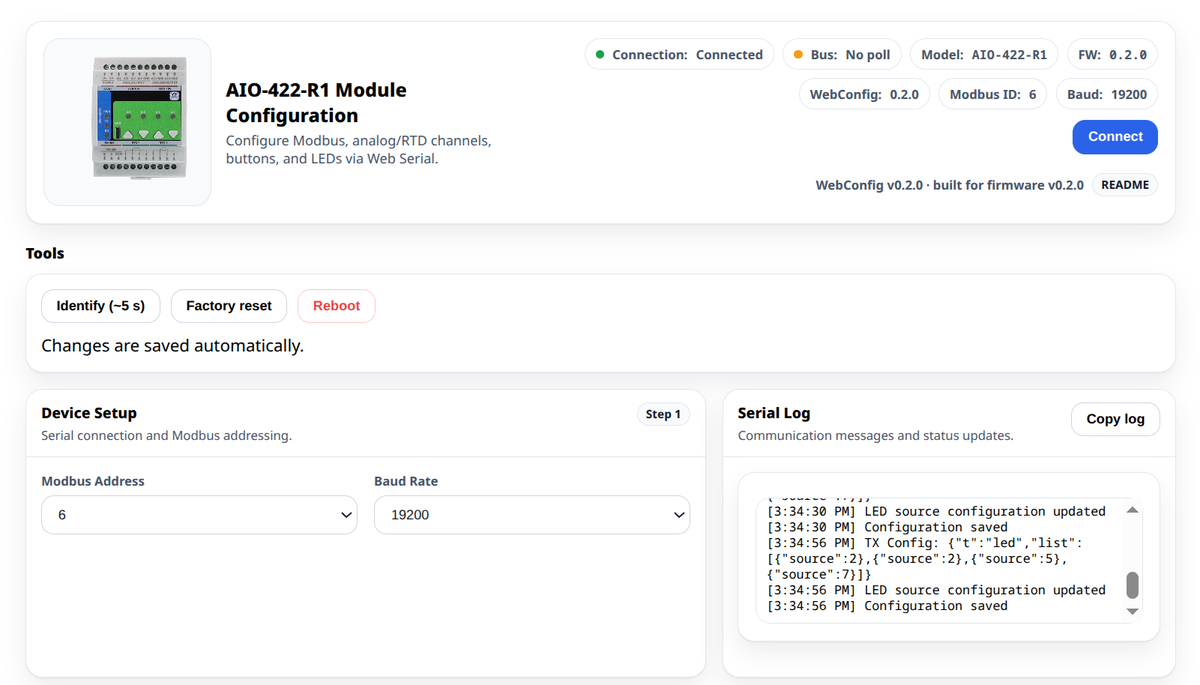
RTD reference resistor is derived from the sensor type
On v0.1.0 the RTD reference resistor could be set freely (200 / 400 / 2000 / 4000 Ω). That choice could disagree with the on-board jumper. A module whose stored configuration held 200 Ω with a room-temperature Pt100 reported roughly −117 °C.
In v0.2.0 the free choice is gone. Rref follows the sensor type: PT100 → 400 Ω, PT1000 → 4000 Ω, matching the jumper. The firmware corrects a stored 200 Ω value on first boot — you do not need a settings reset.
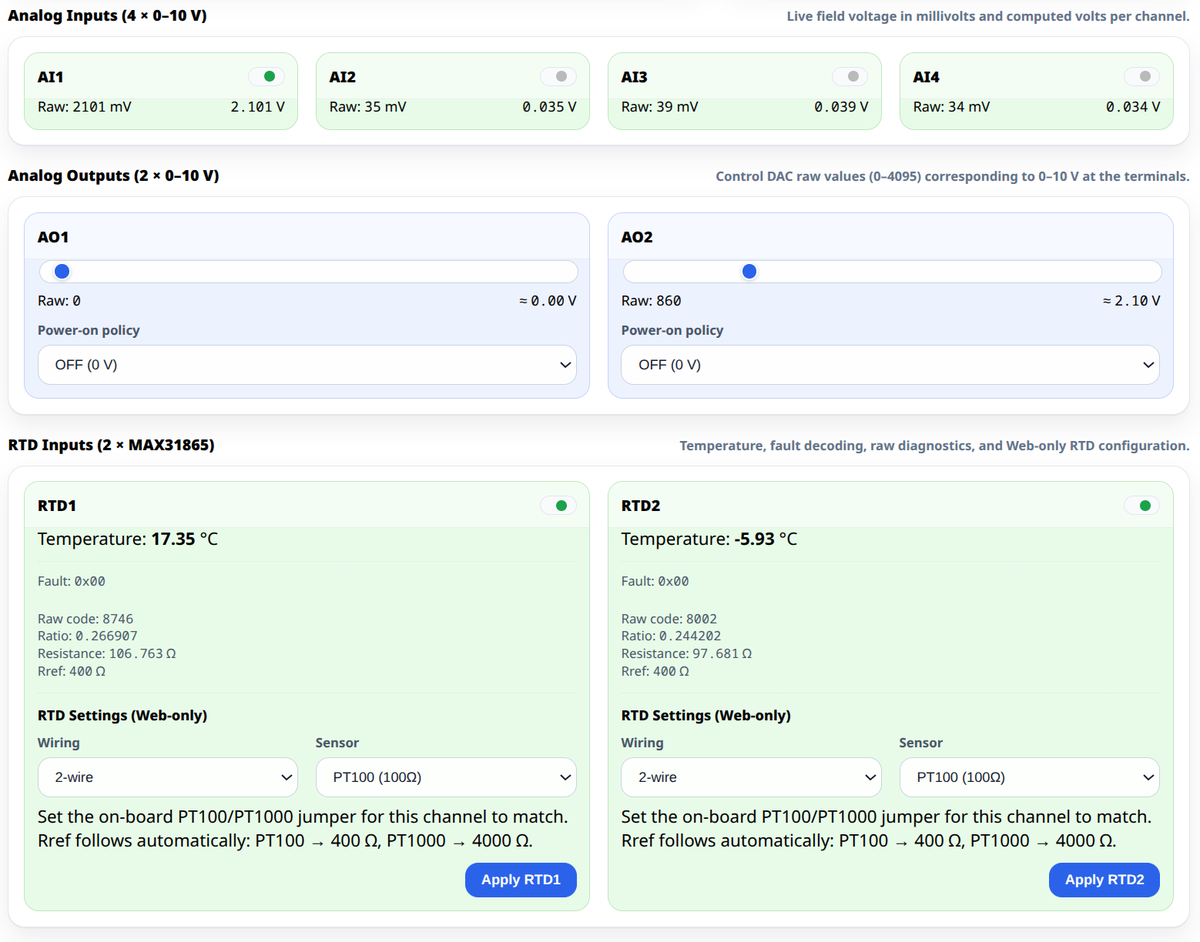
AI3 and AI4 were swapped
Field terminals AI3 and AI4 are crossed on the board. v0.1.0 reported them the wrong way round. v0.2.0 maps HREG 142/143 and the WebConfig cards to the wired terminal. If you relabelled Home Assistant entities to compensate, revert those labels after updating.
More button actions and LED sources
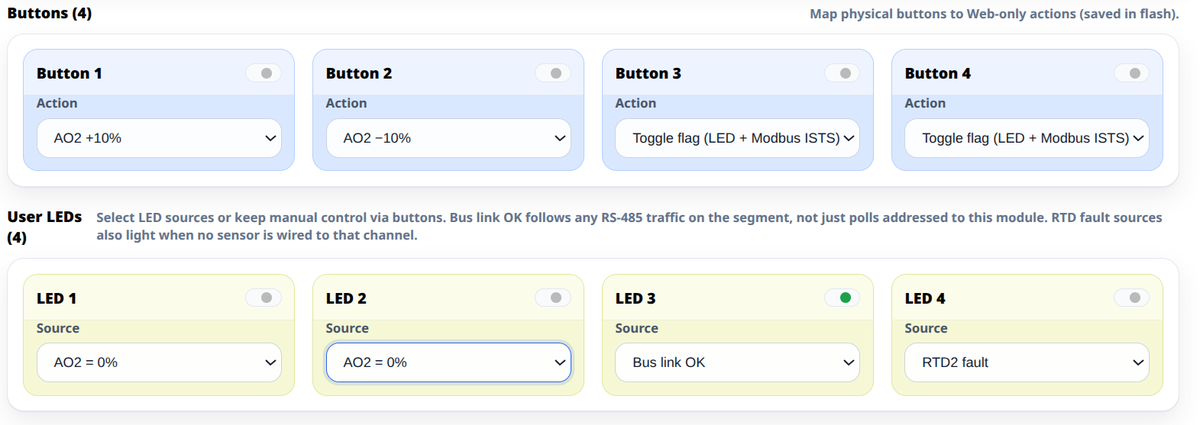
Button actions grow from five to ten: manual flag toggle; AO1/AO2 on/off; AO1/AO2 on/off restoring the last level; AO1/AO2 ±10 %; all AO off. Values 3 and 4 changed meaning in a backward-compatible way — stored configurations remain valid.
LED sources grow from five to eleven: the four AO edge indicators, plus bus link, RTD1 fault, RTD2 fault, AO1 active, AO2 active, and hardware fault.
For integrators: one Modbus poll block
Live state is now a contiguous input-register block. The old FC02/FC03 addresses still work; the block is additive.
| IREG | Content |
|---|---|
| 0 | Buttons 1..4 (bit0..3) |
| 1 | LEDs 1..4 (bit0..3) |
| 2 | Status flags (bit1 Link OK, bit3 Config dirty) |
| 3 | Fault mask |
| 4..5 | RTD1..2 temperature (°C ×10) |
| 6..9 | AI1..AI4 (mV) |
| 10..11 | AO1..AO2 raw state (0..4095) |
| 200..204 | Identity (model, firmware, map version) |
The ESPHome package reads everything in one FC04 @0 count=12 per second (update_interval: 1s, command_throttle: 0ms). Analog outputs are write-only on HREG 200/201; displayed state comes from IREG 10/11.
Other firmware changes
- Modbus loop is no longer blocked by sensor reads
- DAC values written over Modbus are clamped to 12 bit (0..4095)
- Buttons debounced at 30 ms
- LED physical and logical state separated so Identify no longer corrupts manual LEDs
HM_MAP_VERSIONis derived from the firmware version (0x0020 for v0.2.0)
How to update
Two steps, in this order: the module first, then the controller. The module carries the firmware; the controller carries the ESPHome package that reads it, and the two are versioned together.
1. Flash the module
- Download the UF2 from the config hub or the repository.
- Hold the BOOTSEL button on the module while connecting it to a computer over USB-C, then release it.
- The module mounts as a USB mass-storage drive.
- Copy the
.uf2file onto that drive. The module flashes and reboots on its own, and the drive disappears — that is the confirmation, there is no progress bar. - Open WebConfig v0.2.0 and check the Modbus address, baud rate and RTD settings. They live in the module's own flash and are not erased by the update.
The module stops answering the bus while it reboots. Nothing needs disconnecting, but a controller polling it will log timeouts for a few seconds.
2. Update the controller
In the MiniPLC or MicroPLC configuration, point the package path at v0.2.0:
packages:
  aio1:
    url: https://github.com/isystemsautomation/homemaster-dev
    ref: main
    files:
      - path: AIO-422-R1/Firmware/v0.2.0/default_aio_422_r1_plc/default_aio_422_r1_plc.yaml
        vars:
          aio_prefix: "AIO#1"
          aio_id: aio_1
          aio_address: 3
    refresh: 1d
Editing the YAML changes nothing on its own — rebuild and install the configuration onto the controller, or it keeps running the package it was flashed with.
If the two versions disagree
- v0.2.0 firmware with the v0.1.0 package — works. The legacy holding registers stay on the module, so the old package still reads them. You do not get the single-poll input-register block, and AI3/AI4 now report the wired terminals, so any labels swapped by hand to compensate are now wrong.
- v0.1.0 firmware with the v0.2.0 package — does not work. The new package polls the contiguous input-register block, which the old firmware does not expose. Flash the module before switching the path.
Full register map, entity list and upgrade notes are in the AIO-422-R1 README.