
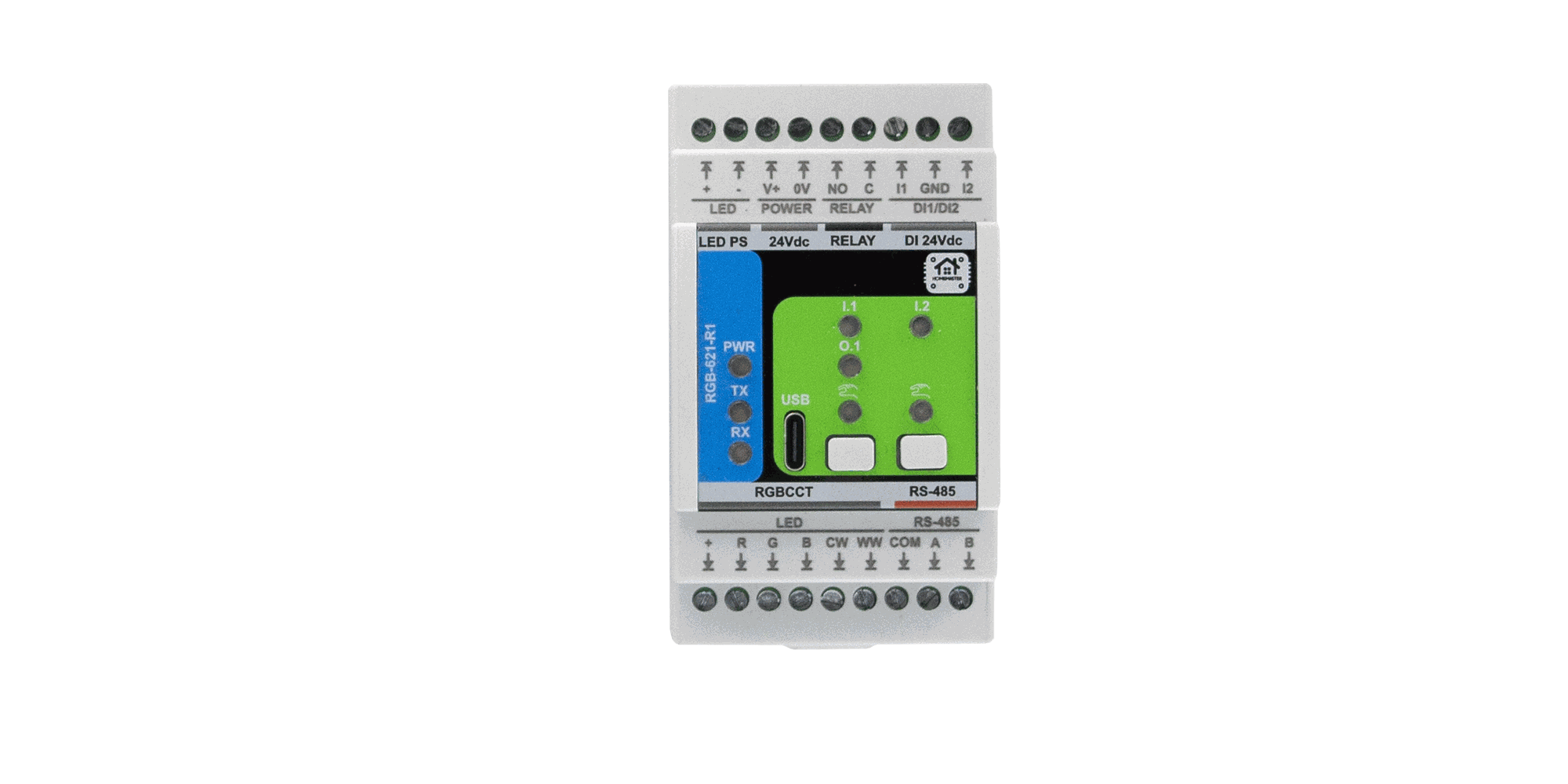
Firmware v0.3.0 is now the current release for the HomeMaster RGB-621-R1 RGB+CCT lighting module. It fixes the one behaviour that made the module awkward to live with in Home Assistant: a colour or brightness you had just set would drift to something else a few seconds later.
Read the update section before you flash. Unlike the other HomeMaster modules, this update resets the module to factory settings — including its Modbus address. Write your settings down first.
Why update
The light no longer drifts after a command
On v0.2.0, setting a colour or a brightness level from Home Assistant worked — and then, on the next poll, the entity moved on its own. Brightness set to 50 % came back as something lower. The colour wheel ended up somewhere near, but not at, the colour you picked. At 100 % nothing drifted, which made the fault look random.
Two separate causes, both fixed in v0.3.0.
The module reported where it was, not where it was going
Each channel fades to its new level over fadeMs (400 ms by default). The state block the controller reads back, input registers 26–28, reported the level the channel was passing through at that instant. A poll landing in the middle of a fade captured an intermediate value, and the controller stored it as the final state.
In v0.3.0 those registers report the target — the commanded level, whether it came from Modbus, a wall switch or a scene. Input registers 21–25 keep reporting the instantaneous level and stay diagnostic. A new flag, bit 4 of the flags byte in IREG 28, is set while any channel is still fading, so a master can skip an update mid-transition. The bit read as 0 on earlier firmware, so masters that ignore it are unaffected.
The ESPHome package overwrote what Home Assistant already knew
A light entity holds its state as brightness and colour separately. The module has one byte per channel — the two multiplied together. Those five bytes cannot be split back into brightness and colour unambiguously: half brightness at full colour and full brightness at half colour arrive as the same numbers.
The v0.2.0 package tried to reconstruct them on every poll, and pinned brightness to 100 % in the process. Each poll rebuilt the entity from a slightly different guess, which is where the drift came from.
The v0.3.0 package keeps a copy of what it last sent. When the module reports the same values back, it leaves the entity alone — Home Assistant already holds the exact state. Reconstruction now runs only when the numbers differ, which means the change came from a wall switch, the onboard button or a scene. Those still reach Home Assistant within one poll.
8-bit and 12-bit levels now round instead of truncating
Holding registers 400–404 take 0–255; internally the module runs 12-bit. Both conversions truncated, so 240 of 256 values lost a step on the way back, and repeated passes walked a channel down one count at a time. Both directions now round.
Updating: settings are reset
The stored configuration is tied to the firmware version, so moving from v0.2.0 to v0.3.0 discards it and writes factory defaults in its place. This affects:
- Modbus address and baud rate — back to 3 and 19200
- Per-channel min/max trim, transition time and power-on state
- Scenes 1–4
- Input enable, invert, mode and gesture assignments for DI1, DI2 and the onboard button
- Relay mode, follow channels and off delay
- User LED sources and modes, gamma setting
Two consequences worth planning around. If you changed the module's address, the controller will stop finding it after the update until you set the address again. And if you run more than one RGB-621-R1 on the same RS-485 bus, every updated module returns to address 3 — update and re-address them one at a time, or several modules will answer at once and the bus will stop working.
Open WebConfig before flashing and note down every page you have changed.
How to update
Two steps, in this order: the module first, then the controller. The module carries the firmware; the controller carries the ESPHome package that reads it, and the two are versioned together.
1. Flash the module
- Download the UF2 from the config hub or the repository.
- Hold both front buttons and, keeping them held, power-cycle the module. Release once power is back. It mounts as a USB drive named RPI-RP2.
- Copy the
.uf2file onto that drive. The module flashes and reboots on its own, and the drive disappears — that is the confirmation, there is no progress bar. - Open WebConfig v0.3.0 over USB-C and set the Modbus address, baud rate and the rest of your configuration again.
The module stops answering the bus while it reboots. Nothing needs disconnecting, but a controller polling it will log timeouts for a few seconds.
2. Update the controller
In the MiniPLC or MicroPLC configuration, point the package path at v0.3.0:
packages:
  rgb1:
    url: https://github.com/isystemsautomation/homemaster-dev
    ref: main
    files:
      - path: RGB-621-R1/Firmware/v0.3.0/default_rgb_621_r1_plc/default_rgb_621_r1_plc.yaml
        vars:
          rgb_prefix: "RGB#1"
          rgb_id: rgb_1
          rgb_address: 3
Set rgb_address to whatever you assigned in WebConfig. Editing the YAML changes nothing on its own — rebuild and install the configuration onto the controller, or it keeps running the package it was flashed with.
If the two versions disagree
- v0.3.0 firmware with the v0.2.0 package — the module answers normally; register addresses and the map version are unchanged. The mid-fade sampling is gone, but the package still rebuilds the light entity on every poll, so the drift remains. Update the package to clear it.
- v0.2.0 firmware with the v0.3.0 package — works, but not worth staying on. The package checks the fading flag, which old firmware never sets, and compares against levels the old firmware reports mid-fade, so a poll during a transition still looks like an external change.
Unchanged
Register addresses, the ESPHome entity list and MAP_VERSION (3) are the same as v0.2.0. The local input engine — momentary and maintained modes, multi-click, hold-to-dim, scenes, relay FOLLOW — behaves as before, and the module keeps running its own logic when the bus or Home Assistant is down.
Full register map, wiring and configuration reference are in the RGB-621-R1 README.