What a Wired Smart Home Actually Costs: One Bus vs a Device in Every Box
Every comparison of wired and wireless automation turns into an argument about the price of the hardware, which is the one part of the budget that is easy to look up and the one part that decides the least. Here is where the money in a wired installation really goes, with our own list prices used as the arithmetic, and an honest account of what a certified bus gives you that we do not.

The short version. Comparing a wired bus with a device in every wall box by adding up hardware prices answers the wrong question, because in both architectures the hardware is a minority of the spend. What differs is how the cost behaves: per device in one case, per module in the other — and how much it costs to change your mind in year three. This article does the arithmetic on a real panel with our published prices, adds up the things the per-device approach quietly needs, and ends with the part nobody selling hardware likes writing: what a certified bus standard offers that an open Modbus system does not.
1. The Question Is Usually Asked Wrong
"Is a wired system more expensive than smart switches?" is a question with no answer, because it compares one line of a quotation against another and ignores the other four.
The hardware price is easy to find, easy to compare and easy to argue about, which is exactly why the conversation stops there. But in a real installation the module or the switch is rarely the biggest number, and it is almost never the number that changes the total. The things that do — cable, labour, the panel, the design decisions that get locked in on the day the walls close — are harder to look up and therefore get left out.
A more useful question has two halves: what does this cost to build, and what does it cost to still be living with in five years. The second half is where the two architectures stop resembling each other.
2. Three Architectures, Not Two
The argument is usually framed as wired against wireless. That is not the real split. The real split is where the equipment lives, and there are three answers, not two.
Once it is drawn that way, the cost behaviour becomes obvious. In the first column every new controlled point adds a device. In the second, a point costs a terminal and a length of cable, and only every eighth or seventeenth point adds a module. The lines cross somewhere, and where they cross is the whole argument.
3. What the Panel Side Actually Costs
Rather than talk in the abstract, here is a real panel for a normal house, priced from our own product pages.
| What it does | Module | Qty | List price |
|---|---|---|---|
| Controller and Modbus master | MicroPLC | 1 | 121.00 |
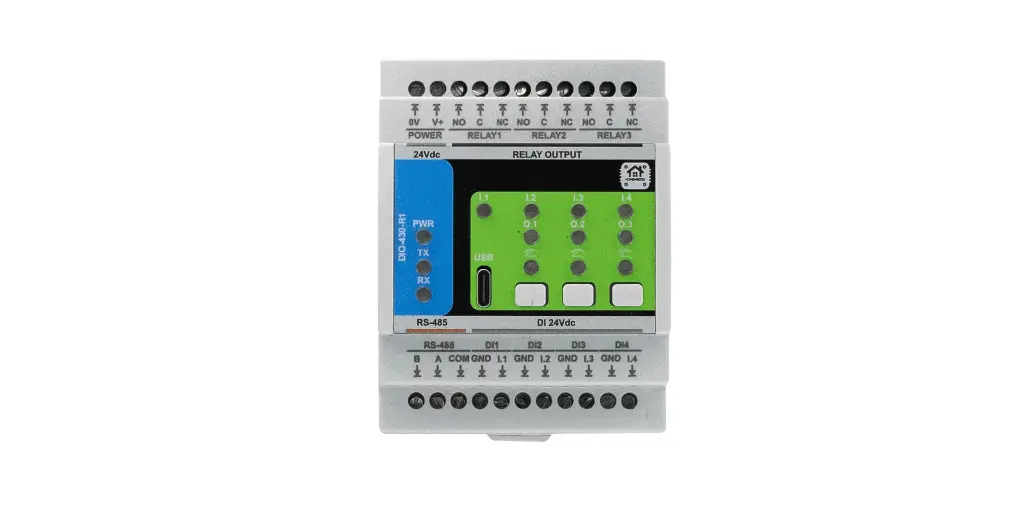
| Six switched circuits, eight inputs | DIO-430-R1 | 2 | 290.40 |
| Two dimmed circuits, four inputs | DIM-420-R1 | 1 | 145.20 |
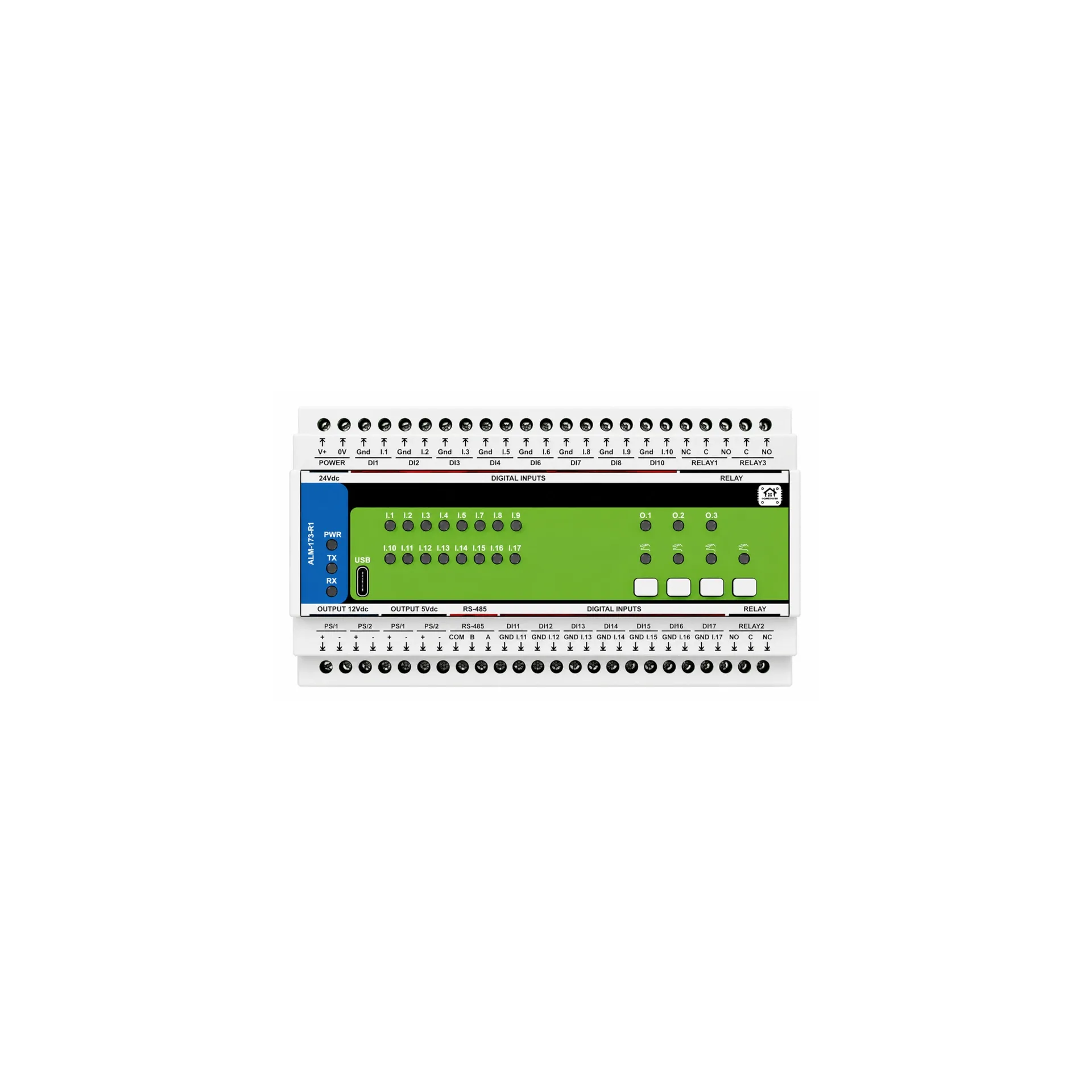
| Seventeen alarm zones | ALM-173-R1 | 1 | 242.00 |
| Leak detection and water metering | WLD-521-R1 | 1 | 108.90 |
| Three-phase energy metering | ENM-223-R1 | 1 | 133.10 |
| Total, hardware on the rail | 1040.60 | ||
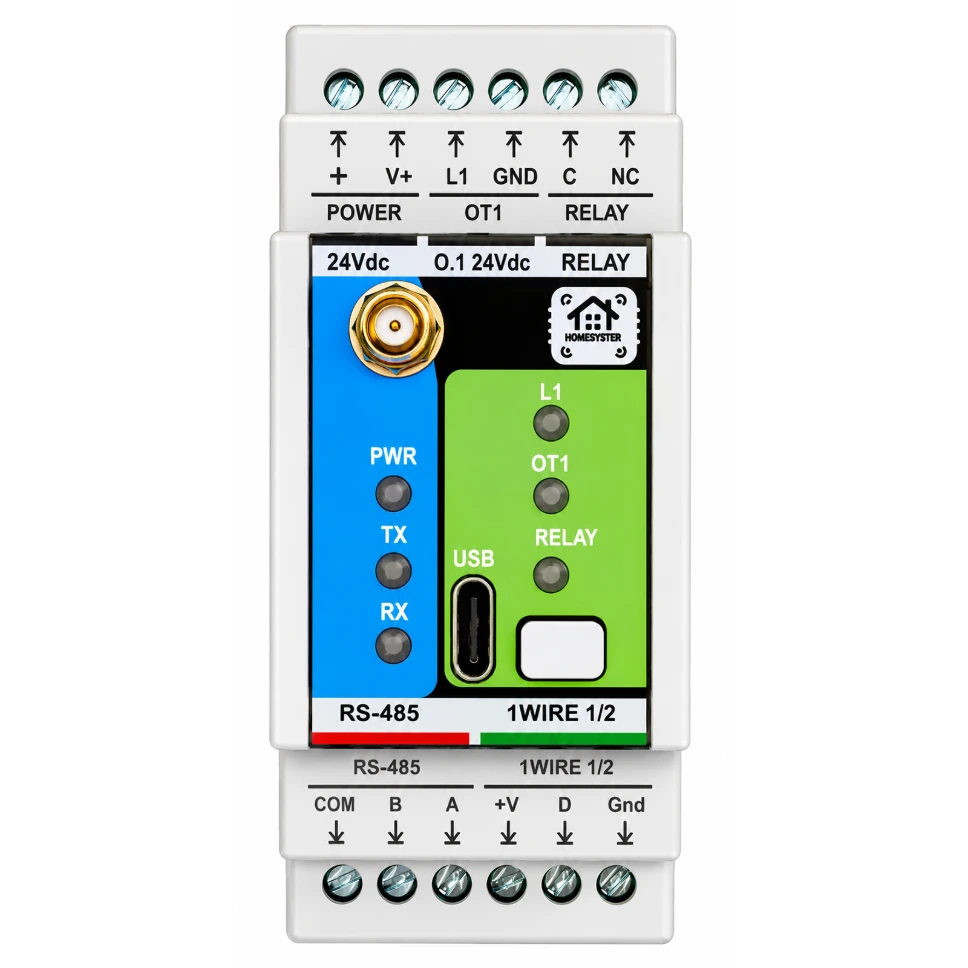
That is one controller and six modules covering six switched circuits, two dimmed circuits, twelve dry-contact or button inputs, seventeen alarm zones, five water inputs and a three-phase meter. Whether that matches your house is beside the point — the point is the shape of the number and how it grows. Adding eight more contacts is one more module, not eight more devices.
What that figure does not include, and here is where the honesty starts: the enclosure, the DIN rail, the breakers and RCDs that were going in anyway, the 24 V supply, the terminal blocks, the cable, and the labour. In most quotations those together are larger than the line above.
4. What the Per-Device Approach Quietly Needs
A smart switch or relay in the wall box has a price on a website too, and it is usually smaller. The comparison goes wrong because the wall box needs more than the device.
Mains at every point, in a box deep enough to take it. A device behind a plate needs live and neutral in that box. In a lot of existing wiring the neutral is not there, and in a lot of boxes there is no room once the device is in. Both problems are solved with a chisel.
Radio coverage everywhere, including the places nobody thought about. The plant room behind a metal door, the far end of the garden, the basement below the concrete slab. Coverage is not free — it costs repeaters, or it costs a device that never works quite right.
A number of devices that only goes up. Forty controlled points is forty devices to buy, forty to configure, forty to update, and forty that reach end of support on somebody else's schedule.
Service access. When something fails in a panel you open one door. When it fails in a wall box you unscrew a plate, in a room, in front of somebody. Multiply by the number of times over a decade.
None of this makes the per-device approach wrong. For a flat, for a rental, for a retrofit where the walls stay shut, it is often the only sensible answer and the cheapest by a wide margin. It is simply not free in the way a price list suggests.
5. Cable and Labour Are the Real Budget
In a wired installation the majority of the money is not on the rail. It is in the trenches: the cable itself, the routes, the boxes, the hours.
The good news is that this cost is mostly independent of which brand ends up in the panel — a home run from a switch position to the panel costs the same regardless of what it plugs into. The bad news is that it has to be spent before anyone can see whether it was worth it, and it cannot be spent later.
That timing is the whole reason the decision matters. Modules can be added, swapped, resold, replaced by a different brand entirely. Cable that was never pulled cannot be added without reopening the wall. Which is why the cheapest possible version of a wired system is not the one with the fewest modules — it is the one where the cable went in generously and the panel was populated gradually.
If you are at that stage now, the companion article is connecting dozens of wired sensors without a wall of boards, which does the arithmetic of how many inputs a real house generates.
6. Year Three: The Cost of Changing Your Mind
Build cost is the number everyone compares. Change cost is the number that decides how you feel about the system later.
Three things typically change in the first years of living with a house: somebody wants a switch to do something different, a room gets repurposed, and a piece of equipment is added that nobody planned for — a heat pump, a car charger, an irrigation line.
In a panel-based system, the first is a configuration change, the second is usually a configuration change plus a spare pair that was pulled anyway, and the third is one more module on the rail. In a per-device system, the first is a configuration change too — but the second and third mean buying, mounting and commissioning more devices, in walls, in rooms that are now furnished.
There is a second kind of change nobody plans for: the vendor's. A cloud service is retired, an app stops being updated, an account requirement appears where there was none. It is worth knowing which parts of your installation would be affected. That question is the subject of its own article — what still works when Home Assistant is down — and the short answer is that rules stored on a module keep running because there is nothing left to withdraw.
7. What a Certified Bus Gives You That We Do Not
This section exists because an article about cost that only lists our advantages is an advertisement.
A mature certified bus standard — KNX being the obvious European example — offers things that an open Modbus-over-RS-485 system does not, and they are not marketing:
Guaranteed interoperability across manufacturers. A certified device from one manufacturer works with a certified device from another, because the certification is the contract. On our bus, interoperability means "it speaks Modbus RTU", which is a much weaker promise: registers, scaling and behaviour are per-product, and you read the register map.
A trained installer base and a formal qualification. You can hire someone certified, on paper, in most European countries. That has real value on a project where you are not the one doing the work, and it is a value we cannot match by writing better documentation.
A very long installed base and a spares market. Devices specified twenty years ago are still supported and still purchasable. We started shipping in 2026; we have open schematics and open firmware, which is a different kind of answer to the same worry, but it is not the same answer.
Tooling and design workflow. A standardised engineering tool, project files that another contractor can pick up, and a defined commissioning process.
What we offer instead is narrower and cheaper: DIN-rail hardware, open documentation, standard Modbus, module-level logic and native integration with Home Assistant via ESPHome — with no certification fee, no per-device licensing, and nothing that stops you reading the source. If your project needs certified interoperability across brands and a contractor who can be held to a standard, that is a real reason to choose the certified route, and price is the wrong axis to argue about it on.
8. How to Price Your Own Installation
The only useful comparison is the one done on your own house, so here is the shape of it.
Count points, not rooms. Every switched circuit, dimmed circuit, blind, contact, sensor, valve and meter is a point. Rooms lie; points do not.
Price both architectures against the same point list. For the per-device route the arithmetic is points multiplied by device price, plus whatever electrical work each box needs. For the panel route it is the modules required to cover those points, plus the panel, plus the cable.
Add the parts that are not hardware. Enclosure, rail, 24 V supply, terminals, breakers, cable, and the hours. If a quotation omits these, it is not a quotation.
Then add one column that is usually missing: what it costs to add ten more points in three years. That column is where the two architectures separate, and it is free to fill in now.
To turn a point count into a module list and a panel width, use the System Builder. For how the pieces fit together before you price anything, the platform overview is the shorter read.
9. The Takeaway
Hardware price is the most visible number in this decision and close to the least important one. What actually decides the total is how much cable goes in, how many hours it takes to put it there, and how the cost behaves the next time somebody wants something changed.
A bus in the panel is not automatically cheaper. It is cheaper per point once there are enough points, more expensive if there are few, and considerably easier to live with in year three. A device in every box is cheaper to start, better when the walls have to stay shut, and grows in a straight line for as long as you keep adding points.
Most houses end up with both. The useful thing is to decide which points belong on which side deliberately, before the plaster goes on — because that is the one part of this decision that has a deadline.
Prices quoted are list prices including VAT as shown on the product pages at the time of writing. Check the product page for current pricing in your currency.